


Online Safety
ONLINE SAFETY

Keeping children safe online is one of the biggest challenges facing parents and schools. We take this issue very seriously at Cottesmore St Mary. Young people do need help and guidance regarding online behaviour and security. To support them, online safety is one of our EPR topics and throughout Computing lessons, children are educated in good practice. In this section of the school website we have links to various organisations which can give parents and students advice, technological knowledge and emotional support.
Staying safe on the internet
The internet is essential in 21st century life for education, business and social interaction. As children move up through the school, their access to various types of technology increases and it stands to reason that their exploration and curiosity increases too. The positives of the digital world overwhelmingly outweigh the negatives but children, schools and parents all need to be aware of various online risks.
At Cottesmore St Mary we use:
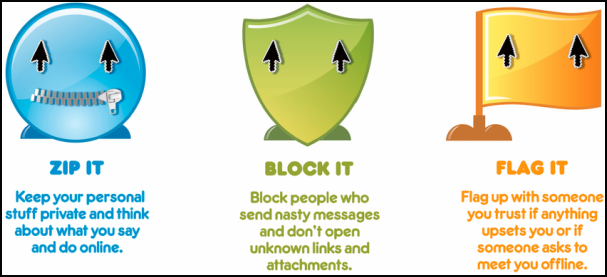
ZIP IT:
Make sure your child knows to always keep private information safe and watch what they say on the internet. People may not be who they say they are online and it’s not always possible to control who can see your child’s information.
Your child should know not to give out information like:
their full name
photos
postal or email addresses
school information mobile or home telephone numbers
details of places they like to spend time
Make sure your child knows that they shouldn’t arrange to meet people that they have only met online. Even if they have been chatting with someone for a while, that person is still a stranger.
You can help keep your child’s information safe by setting privacy settings. This can restrict access to personal information and photos on things like social networking sites.
You should also encourage your child to use a nickname instead of their real name in chat rooms or on instant messaging services. To stop people accessing your child’s online accounts, encourage them to keep their passwords secret, and to change them regularly.
BLOCK IT
Get your child to block people who send offensive messages and tell them not to open unknown links and attachments. They should delete any suspicious emails or attachments as they may contain something offensive or have a virus that can cause damage to the computer.
One of the main ways children can come across inappropriate content online is through search results. Most search engines include a 'safe search' option that excludes results containing inappropriate images or key words.
You can also install parental control software to filter out harmful and inappropriate content for computers and some mobile phones and games consoles.
FLAG IT
The final rule is that your child should come to you or a trusted adult if they are worried or unhappy about anything they see online. They should also do this if a friend, they have made online, has asked to meet them in the offline world.
If your child does experience inappropriate content online, report it to the website it appears on. UKCCIS has developed an internet safety 'one stop shop' with more information.
If you would like to share any information or require any further support, please do not hesitate to contact your child’s class teacher.
Educating pupils about online safety
At Cottesmore St Mary, we take online safety very seriously. Young people need help and guidance regarding online behaviour and security. To support the children, online safety is one of our EPR topics and throughout Computing lessons, children are educated in good practice.
Pupils will be taught about online safety as part of the curriculum. The text below is taken from the National Curriculum computing programmes of study. It is also taken from the guidance on relationships education, relationships and sex education (RSE) and health education.
In Key Stage 1, pupils will be taught to:
Use technology safely and respectfully, keeping personal information private.
Identify where to go for help and support when they have concerns about content or contact on the internet or other online technologies.
In Key Stage 2, pupils will be taught to:
Use technology safely and respectfully..
Recognise acceptable and unacceptable behaviours.
Identify a range of ways to report concerns about content and contact.
By the end of primary school, pupils will know:
That people sometimes behave differently online, including by pretending to be someone they are not.
That the same principles apply to online relationships as to face-to-face relationships, including the importance of respect for others online including when we are anonymous.
The rules and principles for keeping safe online, how to recognise risks, harmful content and contact, and how to report them.
How to critically consider their online friendships and sources of information including awareness of the risks associated with people they have never met.
How information and data is shared and used online.
What sorts of boundaries are appropriate in friendships with peers and others (including in a digital context)
How to respond safely and appropriately to adults they may encounter (in all contexts, including online) whom they do not know.
Click the image to view pdf
Child’s online safety at home
Keeping children and young people safe online is one of the biggest challenges facing society today and it is all of our responsibility to ensure that children are educated to make positive, informed choices when they are online.
Sharing photos, posting comments, playing video games -- these are just a few of the ways that children interact online, but sometimes there are risks. Here are five ways to keep your child safe on the internet.
Top Tips for Safer Surfing!
1. Remind your child that the internet is not a private space. Any information that your child puts online can be shared with anyone and may be used in a harmful way.
2. Keep communication open! Let your child know that it’s never too late to tell if something or someone is making them uncomfortable.
3. Teach your child to only open emails from people they know. Files may contain inappropriate images, content or virusesccepting emails, instant messages like face-chat, or opening files, pictures or texts from people you don't know or trust can lead to problems - they may contain dangerous viruses.
4. Keep the computer somewhere in the house where it is easy for you to monitor what they are viewing.
5. Use internet filtering software and your browser’s control to offer the degree of security needed to protect your child.
Online safety guides
Here are some useful online safety posters regarding social media apps such as Whatsapp and Instagram. It is vital we keep up to date with the dangers children face when using the internet in all of it’s forms.
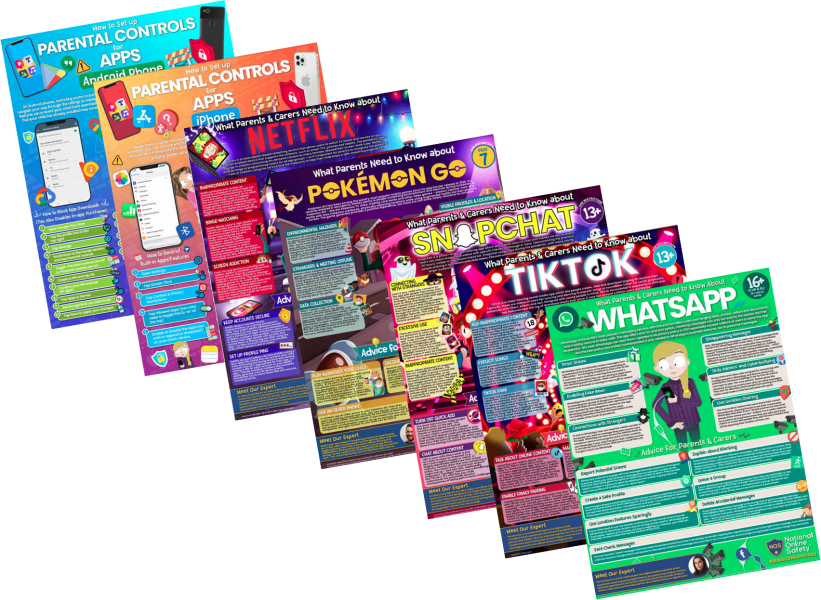
The original posters can be viewed for free by clicking on the pdf links below:
|
|
|
|
|
|
|
|
|

Posters source website
Other useful websites
xxx

Visit the Child Exploitation and Online Protection Centre - The CEOP centre delivers a multi-agency service dedicated to tackling the exploitation of children. Parents can download the latest information from CEOP on how best to protect their child.
xxx
 Click image to link to the website
The Cybersmile Foundation is a multi-award winning anti-cyberbullying non-profit organization. Committed to tackling all forms of digital abuse, harassment and bullying online, they work to promote diversity and inclusion by building a safer, more positive digital community.
xxx
Click image to link to the website
Visit the NSPCC site to view their online guides for keeping children safe online.
xxx

Click image to link to the website
Childline helps anyone under 19 in the UK with any issue they're going through. You can talk about anything. Whether it's something big or small, their trained counsellors are there to support you. Childline is free, confidential and available any time, day or night.
xxx

Click image to link to the website
Children, young people and their families can access up-to-date age appropriate guidance on staying safe both on and offline.
xxx

Click image to link to the website
Childnet is a UK-based charity who empower children, young people, and those who support them in their online lives, and its mission is to work with others to make the internet a great and safe place for children and young people.
xxx
Click image to link to the website
Get Safe Online is one of the UK’s leading internet safety websites. They aim to provide unbiased, factual and easy-to-understand information on online safety.
xxx
Click image to link to a pdf
Online Safety - a list of useful links to websites with extensive information and help regarding online saftey.
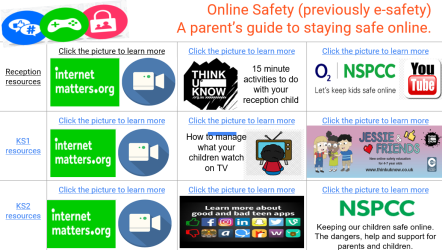
Our own parents guide

Click here to view our computer curriculum page